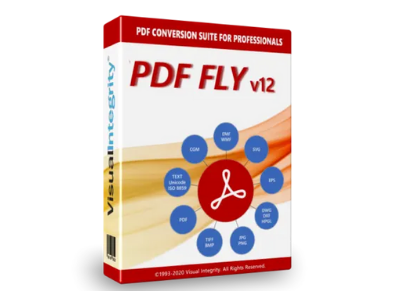
PDF FLY
PDF FLY adds a number of new features to vector and image modes. PDF and text extraction are new output formats and there is a new automatic font mapping feature.
PDF FLY adds a number of new features to vector and image modes. PDF and text extraction are new output formats and there is a new automatic font mapping feature.
For more than 25 years, it has been the professional choice to work with graphics-based PDF content in technical documentation and applications.
What's new in PDF FLY?
PDF FLY adds a number of new features to vector and image modes. PDF and text extraction are new output formats and there is a new automatic font mapping feature.
Visio and PowerPoint
With two new Microsoft Office plug-ins for you to explore. Both open PDFs for editing at the text and object level.
PDF FLY - The choice of the professional
Convert PDF to vector and image formats with PDF FLY. It is a complete set of vector and bitmap converters in an easy-to-use program. Transform PDF, PostScript, and EPS files into standard formats like DWG, SVG, WMF, EPS, PNG, JPEG, and TIF. Using it saves time, improves quality, and streamlines workflow. Transform drawings, diagrams and illustrations, all with a great product. Perfect for technical writers and other graphic professionals.
All modules include smart filter options, ensuring a perfect match with the original file. Compensation for format mismatch is one of many advanced features. In addition, single file, batch, and monitored folder support ensures the best approach to your workflow.
Engineering, technical writing and illustration departments rely on PDF FLY for seamless conversions. For customers across multiple industries, PDF FLY saves time and enables new PDF workflows. In short, if you need to convert PDF to vector and image formats, PDF FLY offers all the power you need.
Nested Groups
Advanced logic groups elements that belong to each other. These composite objects can be easily selected, moved, copied, and edited.
Advanced Layers
Vector drawings and diagrams can use layers. Convert them based on line weight, color, special color, PDF layers, or no layers. Color and line thickness combinations are also possible.
Smart Text
PDF FLY extracts all searchable text and renders it as editable words and text strings. Missing or incompatible fonts are automatically mapped or replaced by the best WYSIWG display.
Object recognition
PDF FLY intuitively connects individual elements to form shapes. A series of arcs becomes an ellipse and a set of lines a polygon.
Most output options
PDF FLY is the professional's choice for its versatility. Produces vector, image, and text formats so you always have the ideal format.
API and recommendation line
The PDF Conversion SDK and Command-Line Servers are perfect for developers, system integrators, and OEMs.
System requirements:
CPU: 1.8 GHz dual core processor
RAM: 2 GB
HDD / SSD: 50 GB of free space on the main drive
Operating system: Microsoft Windows 8 32-bit, Microsoft Windows 7 32-bit and Microsoft Windows Vista 32-bit
Resolution: 1024×768
Supported operating systems
Mac OS X 10.5 x (Leopard), Mac OS X 10.6 (Snow Leopard), Mac OS X 10.7 (Lion), Mac OS X 10.7 (Mountain Lion), OS X 10.9 (Mavericks) and Mac OS X 10.10 (Yosemite)
Hardware requirements
Memory - 1 GB of RAM and more
Free disk space - 50 MB
System type - 32-bit and 64-bit OS
You don't know what software you need or you haven't found what you were looking for? We have a team ready to help you choose the right software for your company.