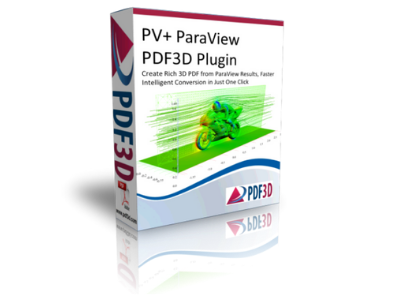
PDF3D PV+
With just a click of a button, the ParaView Plus plug-in allows ParaView users to convert and compress big data into rich, interactive 3D PDF.
With just a click of a button, the ParaView Plus plug-in allows ParaView users to convert and compress big data into rich, interactive 3D PDF.
Create rich 3D PDFs from ParaView Results, faster
With just a click of a button, the ParaView Plus plug-in allows ParaView users to convert and compress big data into rich, interactive 3D PDF.
Overview
PV+ is a combination of the most popular features of the original ParaView plug-in, as well as the best ideas of recent developments in the geospatial area. It not only assists professionals working in the earth science industries, such as Oil and Gas, but also allows manufacturing, scientific research, and biomedical training engineers to do much more with their data.
Rich technical reports
Using physical data along with the visual abstract data from libraries, files, text, and code, PV+ allows you to quickly create highly compressed, interactive, and graphically rich representations of your data. Displays a range of features, including structured and unstructured grids, adaptive mesh refinement cells, polygons, points, lines, time-dependent data, and sequenced animation.
Easy to use
With all its grandeur, the plug-in is extremely simple to use and learn. It was designed to be deliberately simple, to save your time. With fully integrated controls within the ParaView client menu system and a long list of plug-in-compatible formats and platforms, you'll be able to generate 3D PDF reports complete with interactive mobile templates, grids, graphics, animations, videos and audio, which can be produced and shared at the click of a button.
Enhanced viewing experience
PV+ helps you create complex interactive visualizations with easy-to-use visualization controls, allowing your users to adjust and configure specific investigations for a much deeper understanding of your presentation. They will be able to observe immediate effects and relationships in animated sequences and inspect detailed 3D structures using zoom, pan, and rotation in the interactive PDF.
Resources
PV+ allows you to export scenes, specifically with 3D content, by converting Paraview results into 3D PDF files using the PDF3D technical reporting system. It comes with a wide variety of features and extensions that provide plenty of options for communicating technical data in a way that your stakeholders can appreciate to a much greater degree than ever before.
Uses
ParaView is an open source application designed to visualize large and complex scientific data on supercomputers, as well as on a smaller scale on laptops and personal computers. PDF3D took this platform and was built to encompass interactive and animated 3D PDF publishing capabilities.
PV+ can be used to communicate technical analysis data with appropriate tools for:
Plugins
System requirements:
CPU: 1.8 GHz dual core processor
RAM: 2 GB
HDD / SSD: 50 GB of free space on the main drive
Operating system: Microsoft Windows 8 32-bit, Microsoft Windows 7 32-bit and Microsoft Windows Vista 32-bit
Resolution: 1024×768
You don't know what software you need or you haven't found what you were looking for? We have a team ready to help you choose the right software for your company.